

The Start/Stop feature in your Volvo helps save fuel by turning off the engine when you stop. This clever technology reduces unnecessary fuel use and cuts emissions, especially in busy city traffic. However, you might want to turn off Start/Stop for personal comfort or specific driving conditions. Some drivers worry it causes wear on the engine or affects oil quality, but these concerns are mostly myths.
Key Takeaways
To turn off the Start/Stop feature, access the vehicle settings on your infotainment screen and toggle the setting. This can be done temporarily or permanently based on your preference.
For a temporary disable, swipe the screen to access vehicle functions and press the Start/Stop button. Remember, you’ll need to repeat this each time you start your vehicle.
Permanently disabling the Start/Stop feature may have legal implications. Always check your owner’s manual and consider the potential risks before making this change.
Turn Off Start/Stop Feature
Accessing Vehicle Settings
To turn off the Start/Stop feature in your Volvo, you first need to access the vehicle settings. Here’s how you can do it:
Start your vehicle and ensure it’s in park.
Navigate to the settings menu on your infotainment screen. This is usually found under the “Car” or “Settings” tab.
Look for the Start/Stop settings. Depending on your model, this may be labeled as “Engine Off” or “Start/Stop.”
Toggle the setting to disable the Start/Stop feature.
Tip: In newer models, like those updated in 2020, the system remembers your preference. If you turn off Start/Stop, it should stay off the next time you start your car. However, earlier models may require you to disable it each time unless updated at a dealer.
Using Manual Gear Mode
If you prefer driving in manual gear mode, you can also manage the Start/Stop feature effectively. Here’s what you need to know:
When you drive in Comfort or Eco modes, the engine might stop before your vehicle is completely stationary. This is part of how the Start/Stop feature works.
To activate the Start/Stop function while in manual gear mode, follow these steps:
Depress and hold the brake pedal.
Engage the neutral position.
Release the clutch.
Your engine will then switch off.
For hybrid models, you won’t find an option to disable the Start/Stop feature from the screen. Instead, you can completely disable it using specific settings. Make sure to check your owner’s manual for detailed instructions tailored to your model.
By understanding these methods, you can easily turn off Start/Stop in your Volvo, whether temporarily or permanently, based on your driving needs.
Temporary vs Permanent Disabling
When it comes to the Start/Stop feature in your Volvo, you have two options: temporarily disabling it or permanently turning it off. Understanding the difference between these two methods can help you choose the best approach for your driving style.
Temporarily Disable Start/Stop
If you want to turn off Start/Stop just for a specific trip or situation, you can easily do this. Here’s how:
From the Home Screen, swipe the screen from left to right to access the Vehicle functions screen.
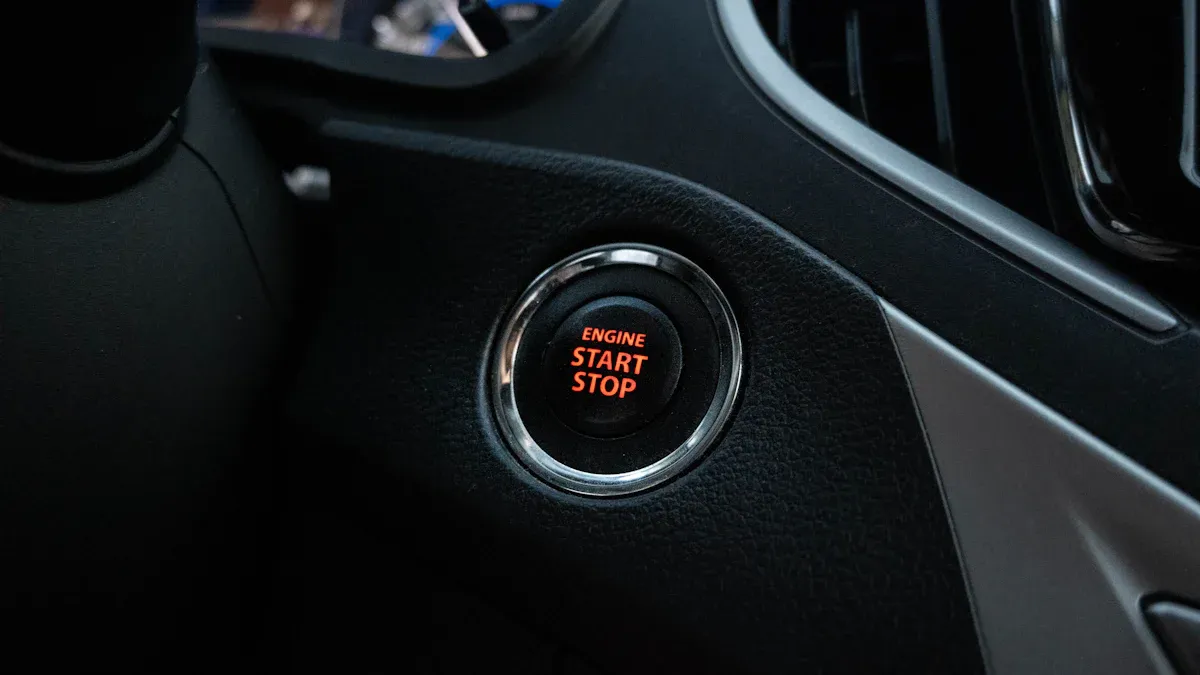
Press the Start/Stop button. You’ll notice the indicator light turns off, confirming that the feature is disabled for your current drive.
This method is perfect for those moments when you prefer a more traditional driving experience without the engine shutting off at stops. Just remember, you’ll need to repeat this process each time you start your vehicle.
Permanently Disable Start/Stop
If you find that you rarely use the Start/Stop feature and want to disable it for good, you can do so. However, be cautious. Permanently disabling this feature may have legal implications. According to the Clean Air Act, tampering with emissions control systems can lead to serious consequences.
Note: The law is clear about disabling parts of your vehicle related to emissions. While the EPA generally does not pursue enforcement actions unless there’s a factual basis, it’s wise to consider the potential risks involved in permanently disabling the Start/Stop feature.
To permanently turn off Start/Stop, follow these steps:
Access the settings menu on your infotainment screen.
Navigate to the Start/Stop settings.
Toggle the setting to disable the feature permanently.
Keep in mind that some Volvo models may require a visit to the dealership for this change. Always check your owner’s manual for specific instructions related to your model.
By understanding these two methods, you can choose how to manage the Start/Stop feature based on your preferences and driving conditions. Whether you decide to temporarily or permanently disable it, you have the power to customize your driving experience.
Troubleshooting Start/Stop Issues
When you encounter issues with the Start/Stop feature in your Volvo, it can be frustrating. Here are some common problems and solutions to help you get back on track.
Re-Enabling Issues
If you’ve turned off the Start/Stop feature and want to re-enable it, you might face some challenges. Here are a few common reasons why it may not activate:
Hood Switch Malfunction: If the hood switch is defective, it may falsely indicate that the hood is open, preventing the Start/Stop system from working.
Brake Pedal Position Sensor Fault: A faulty brake pedal position sensor can send incorrect signals, stopping the system from activating.
Cabin Climate Control Load Conditions: If your climate control system is working too hard, it can prevent the engine from shutting off.
High Electrical Load from Auxiliary Consumers: Excessive power draw from other components can override the Start/Stop feature.
CAN Bus Communication Errors: If there are faults in communication, the system may not receive the necessary data to function.
Disabled by User: Sometimes, users may disable the feature through modifications or hacks.
If you find that the Start/Stop feature isn’t working as expected, consider these troubleshooting steps recommended by Volvo:
Check battery health.
Ensure the system is activated.
Address any sensor issues.
Update the software.
Consider climate control factors.
Reset the Auto Start Stop system by turning off the engine, waiting five minutes, and restarting.
Check brake fluid levels and sensor functionality.
Performance Considerations
Disabling the Start/Stop feature can have some long-term effects on your vehicle. While you might think it reduces wear on the engine, modern engines are designed to handle the wear from frequent start-stop cycles. In fact, disabling the feature may lead to fewer start-stop cycles, which can reduce engine wear over time. However, keep in mind that the increase in start-stop events from using this feature can lead to significant wear on engine components, especially during the ‘boundary condition’ phase where metal-to-metal contact occurs. This could result in normal bearings wearing out much sooner than expected.
So, before you decide to turn off Start/Stop, weigh the pros and cons. Understanding how this feature impacts your vehicle can help you make an informed decision.
In summary, understanding the Start/Stop feature is crucial for your driving experience. It can save fuel and reduce emissions, especially in stop-and-go traffic. If you often drive in such conditions, consider turning it off. Make informed choices based on your habits to enjoy a smoother ride. 🚗✨
FAQ
What happens if I disable the Start/Stop feature?
Disabling the Start/Stop feature may lead to increased fuel consumption and emissions since the engine won’t shut off during stops.
Can I turn off Start/Stop in all Volvo models?
Not all models allow you to disable Start/Stop. Check your owner’s manual for specific instructions related to your vehicle.
Will disabling Start/Stop affect my warranty?
Disabling the Start/Stop feature shouldn’t void your warranty, but always consult your dealer for clarification on warranty implications.



