

Auto mode in Mitsubishi AC units plays a key role in keeping your space comfortable while saving energy. With just a few clicks, you can set auto mode to automatically adjust temperature and fan speed. This means less hassle for you and a more consistent indoor climate. Enjoy the benefits of efficiency and comfort with ease!
Key Takeaways
Setting auto mode on your Mitsubishi AC is easy. Use the FH remote to turn on the unit, press the mode button until ‘Auto’ appears, and adjust the fan speed if needed.
Auto mode saves energy by automatically adjusting temperature and fan speed. This reduces the need for manual changes and helps lower energy bills.
Regular maintenance is crucial for optimal performance. Clean filters and service the unit as recommended to keep your AC running efficiently in auto mode.
How to Set Auto Mode
Using the Mitsubishi Electric FH Remote
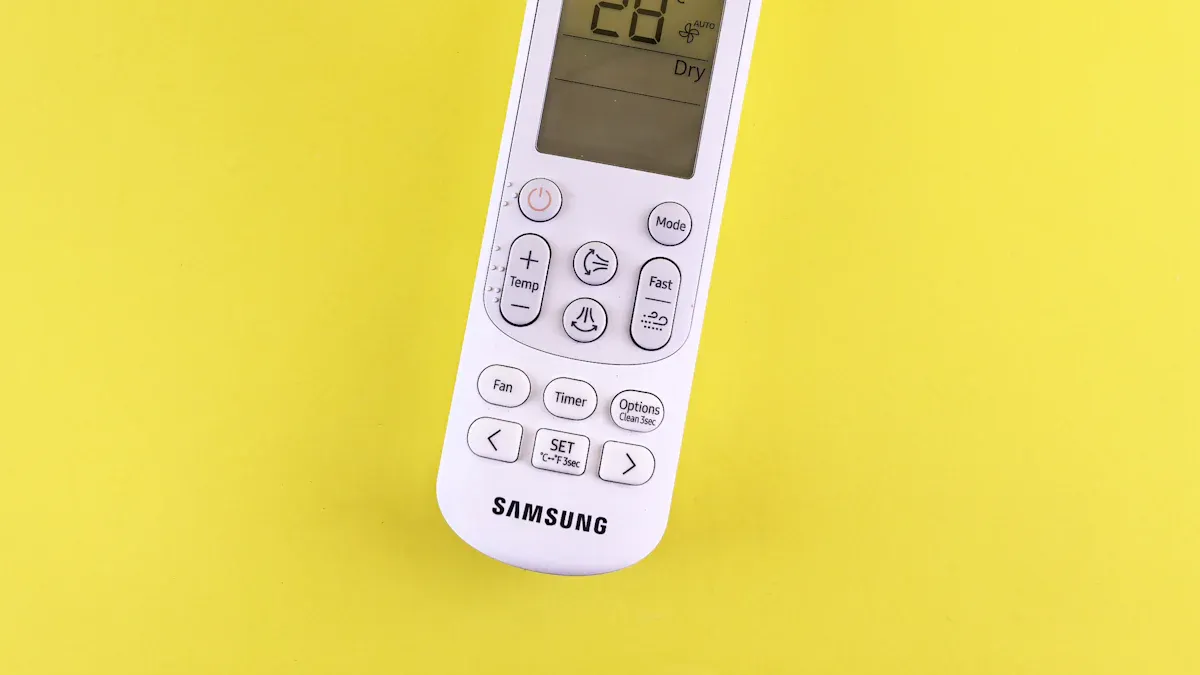
Setting auto mode on your Mitsubishi AC is simple, especially with the Mitsubishi Electric FH remote. Here’s how you can do it:
Turn on your AC unit using the power button on the remote.
Locate the mode button on the remote. This button allows you to switch between different operation modes.
Press the mode button until you see “Auto” displayed on the screen. This indicates that you have successfully set auto mode.
Adjust the fan speed if necessary. You can choose from low, medium, or high settings based on your comfort level.
The Mitsubishi Electric FH remote stands out because it includes four mode settings: heating, cooling, dry mode, and auto. In auto mode, the remote automatically regulates the system to maintain your desired temperature, activating as needed. This feature makes it easy for you to enjoy a comfortable environment without constant adjustments.
Adjusting Temperature Settings
Once you’ve set auto mode, you can adjust the temperature settings to optimize your comfort and energy efficiency. Here’s how to do it effectively:
Set your desired temperature. Choose a comfortable level that suits your needs.
Avoid drastic temperature changes. Small adjustments work best. For example, setting the temperature just a few degrees higher or lower can help maintain comfort without overworking the system.
Understand how auto mode operates. It automatically adjusts temperature and fan speed based on the current conditions. This means you don’t have to worry about constantly changing settings.
Using auto mode saves energy by automatically adjusting temperature and fan speed. This mode reduces the need for manual adjustments, leading to lower energy consumption. It helps decrease the running time of the system, further contributing to energy savings.
However, be mindful of common mistakes. Users often misunderstand how auto mode works, leading to confusion about temperature fluctuations. Setting temperatures that cause the system to switch between heating and cooling modes unnecessarily can also waste energy. Even slight differences in set temperature can trigger unwanted cooling, indicating a lack of understanding of the auto mode’s functionality.
By following these steps and tips, you can effectively set auto mode and enjoy a comfortable, energy-efficient environment in your home.
Benefits of Auto Mode
Using auto mode in your Mitsubishi AC unit brings several advantages, especially when it comes to energy efficiency and comfort. Here’s how it optimizes your experience:
Energy Optimization: Auto mode adjusts the compressor and fan speed based on the current temperature. This means your AC unit only works as hard as it needs to. Users report that in heating mode, the auto fan setting helps maintain a comfortable indoor temperature without excessive energy use. When the fan runs on high, the compressor struggles to modulate down, leading to short cycling. Auto mode helps mitigate this issue, ensuring your system operates efficiently.
Comparing Auto Mode and Heat Mode
To better understand the benefits, let’s compare auto mode with heat mode:
Mode | Operation Description | Comfort Level Implications |
|---|---|---|
HEAT | Operates solely in heating mode, blowing warm air until the set temperature is reached. | Provides consistent warmth, but requires manual switching to COOL in summer. |
AUTO | Automatically switches between HEAT and COOL based on room temperature. | Offers convenience and maintains comfort by adjusting to seasonal temperature changes. |
As you can see, auto mode provides a more flexible solution. It adapts to your needs throughout the year, ensuring you stay comfortable without the hassle of manual adjustments.
Long-Term Savings
Using auto mode can lead to significant long-term cost savings. Here are some key points:
The system operates efficiently by turning on and off as needed, maintaining a comfortable temperature without constant operation.
It reduces the running time of the system, which contributes to energy savings.
You’ll notice lower energy bills since the auto mode helps save energy by automatically adjusting temperature and fan speed.
In addition to saving money, auto mode can also improve your indoor air quality. By only operating when cooling is needed, it reduces unnecessary airflow and potential dust circulation. This is a great way to keep your home fresh and comfortable.
Maintenance Considerations
To keep your Mitsubishi AC running smoothly in auto mode, regular maintenance is essential. Here’s a quick checklist:
Maintenance Task | Frequency |
|---|---|
Clean primary air filters | Every 2 weeks |
Clean anti-allergy filters | Every 3 months |
Replace anti-allergy filters | Every 12 months |
Clean plasma quad filters | Every 3 months |
Service the unit | At least once a year |
Inspect and clean heat exchanger | As per manufacturer’s guidelines |
Check thermostat settings | Regularly |
By following these maintenance tips, you can ensure your AC unit continues to perform at its best, maximizing the benefits of auto mode.
In summary, using auto mode in your Mitsubishi AC unit offers numerous benefits. You enjoy:
Energy savings through automatic adjustments.
Improved comfort with consistent temperatures.
Enhanced indoor air quality by reducing humidity and allergens.
So, why not set auto mode today? Experience the comfort and efficiency for yourself!
FAQ
What is auto mode in a Mitsubishi AC?
Auto mode automatically adjusts the temperature and fan speed based on your room’s conditions, ensuring comfort without constant manual changes.
How do I know if my AC is in auto mode?
Check the remote display. If you see “Auto,” your AC is in auto mode and adjusting settings as needed.
Can I use auto mode year-round?
Yes! Auto mode works well in both heating and cooling seasons, adapting to your comfort needs throughout the year.



